This guide explains how to interact with the dashboard.
The dashboard is the main page of the application. It gives you a quick overview of your classes, students, and attendance.
It provides a quick overview of the key metrics of the application, and also allows you to quickly access the main features of the application, which are:
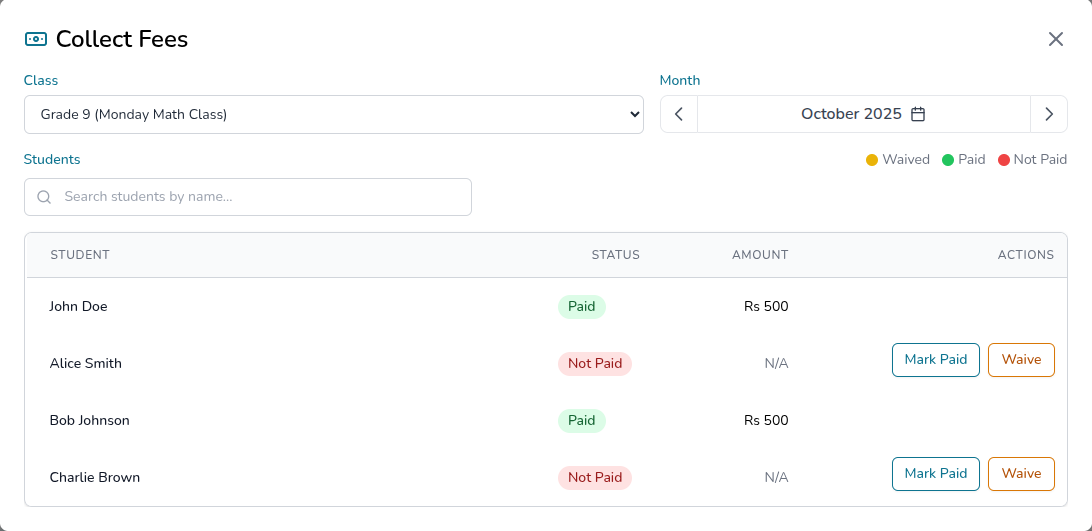
In order to quickly open the fee collection utility, click on the “Quick Actions” menu and select “Fee Collection”.
This will open the fee collection utility, where you can collect fees for the selected class:
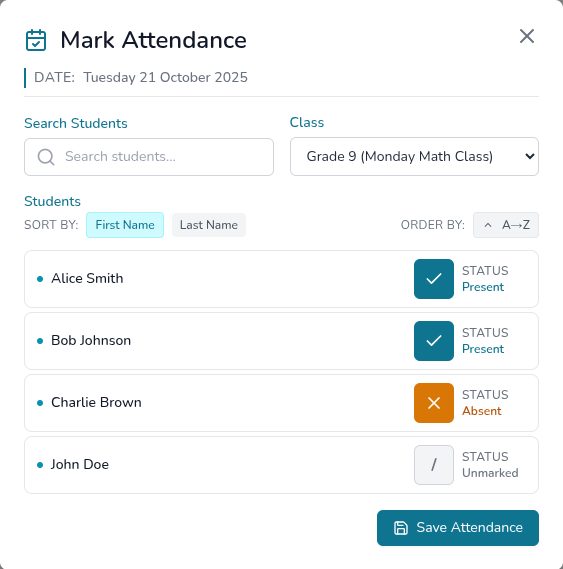
In order to quickly open the attendance tracking utility, click on the “Quick Actions” menu and select “Attendance Tracking”.
This will open the attendance tracking utility, where you can mark attendance for the selected class:
The dashboard provides the following key metrics:
Return to User Guide